

[ 07/09 ] Professional experience
HRM system — Feeder
End-to-end UX design for a volunteer management platform — badge scanner, volunteer dashboard, and team lead mini-dashboard — that delivered the first successful launch in 2024.
Role
Product Designer
Year
2024 — 2025
I joined in 2024 as the first designer. No designers, no process. The previous launch had failed. With proper UX/UI in 2024, the platform launched fully and is now used every year, enabling management of over 2,000 volunteers.
2024 was the first successful launch. The platform now runs every year for 2,000+ volunteers.
Contribution
UX Research, Interviews, Wireframing, UI Design
Duration
2 months before festival
20%
Reduction in food purchase costs
Accurate check-in/check-out data meant kitchens could calculate portions correctly. Less waste, less overspend.
7%
More accurate volunteer tracking
Previously, platform numbers and actual attendance rarely matched. Real-time updates from the team lead mini-dashboard fixed that.
↓
Fewer questions and conflicts
Post-festival survey: almost everyone said meal and arrival issues dropped significantly. When something went wrong, there was a clear resolution path.
Overview
A small app for scanning volunteer badges at lunch. ~2,000 volunteers, multiple feeding plans, two dining areas. The scanner approves or denies each check-in and feeds into purchase statistics.
Problems and goals
In 2023, the scanner was so complicated only specially trained staff could use it. My goal: make it work for kitchen volunteers — no training required. I interviewed people who used it in 2023 and gathered feedback from the kitchen team.
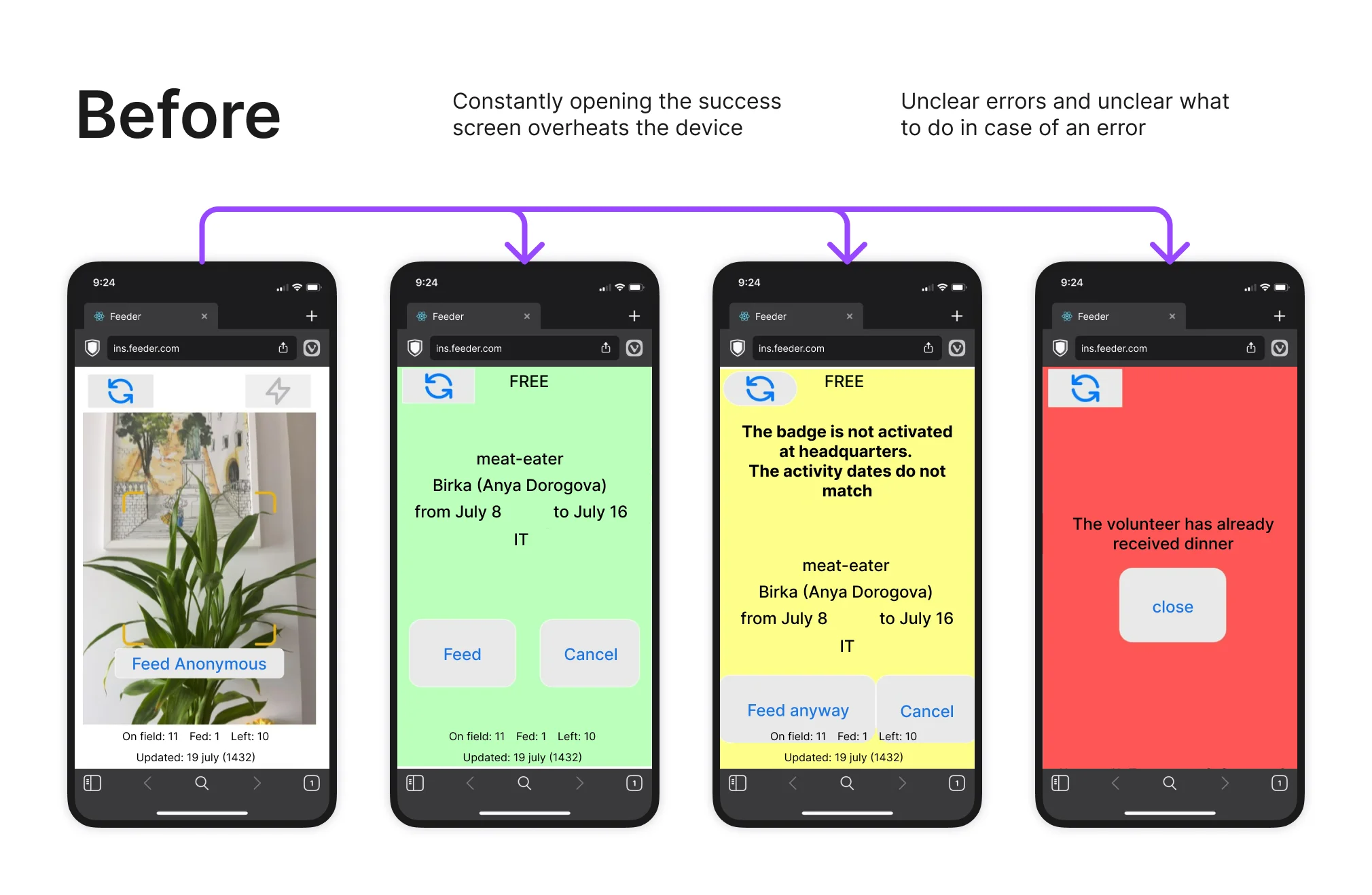
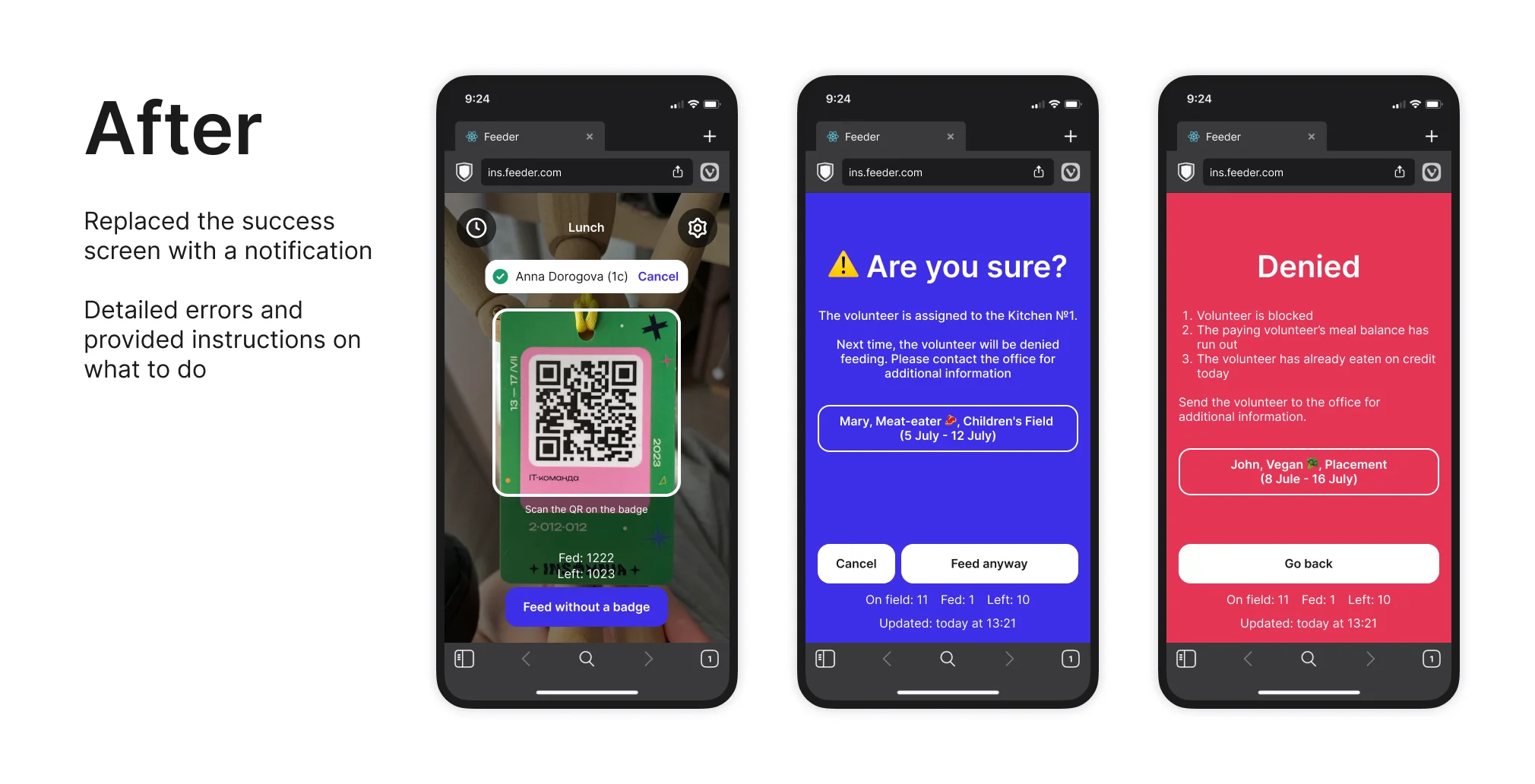
Scanning a badge opened a popup with extra info and two buttons: Feed or Cancel. Nobody read the extra info. The extra screen was also overheating devices — causing the scanner to freeze mid-operation.
On successful scan: a notification appears inline, no separate screen. For errors and edge cases, I kept the extra screen — with actual instructions this time, not just an error state.
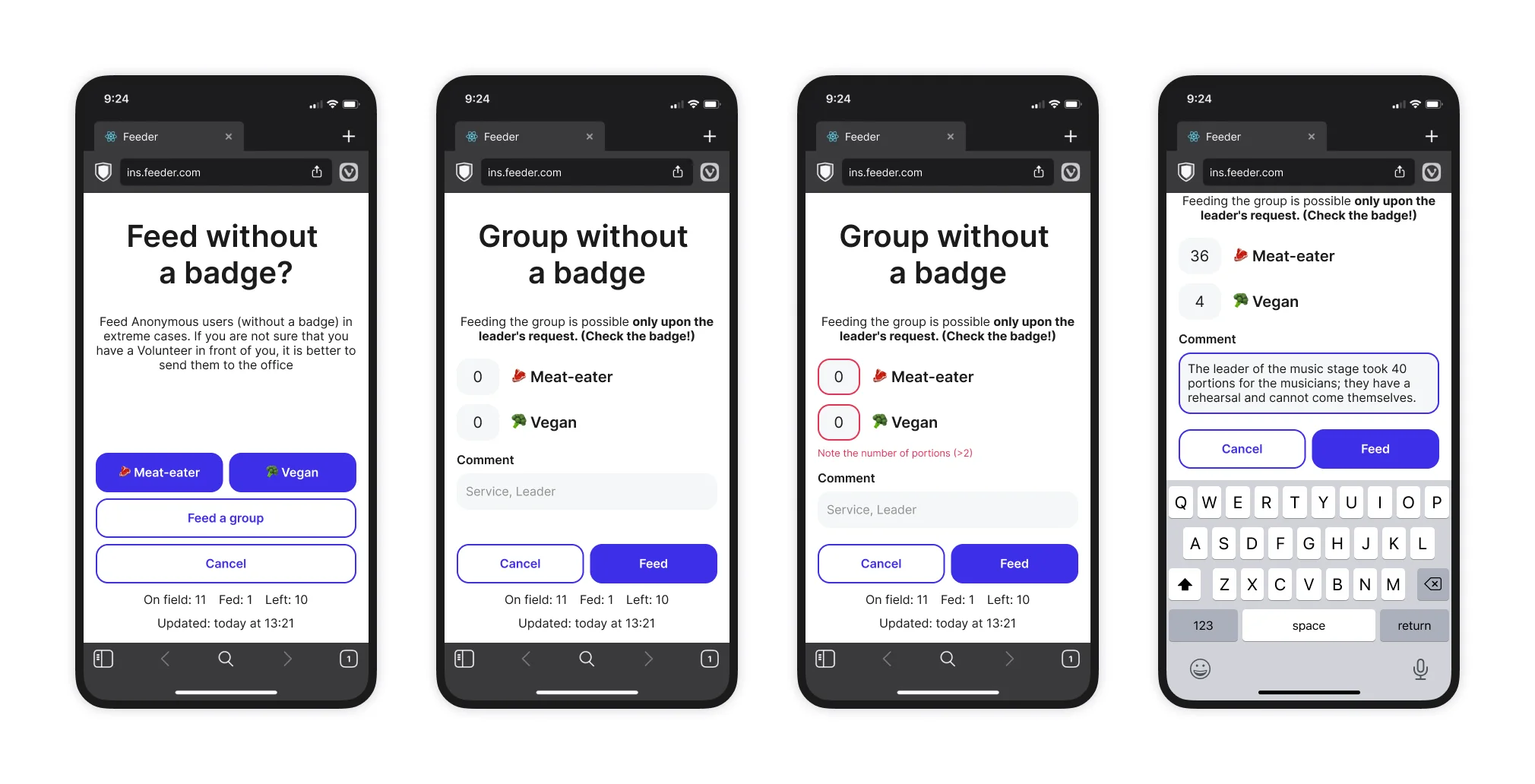
There was no way to feed a group. Team leads would walk up, grab 40 portions, and none of it hit the statistics.
Added group anonymous feeding.
Overview
The dashboard handles volunteer management, shift directions, and purchase statistics.
Problems and goals
I surveyed the team, dug into the backlog, then interviewed office volunteers who handle check-ins, check-outs, and meal issues. The main insight from the survey was:
Team leads do not promptly notify the office about changes in their volunteers' plans

This leads to volunteers having issues with meals — for example, a volunteer decides to spend a few more days at the festival, but this is not entered into the database, and a portion is not allocated for them.
I interviewed team leads to understand why. Three reasons: no time, the office is physically far from camp, and it's easy to forget.
Need a simplified admin panel for the team leads
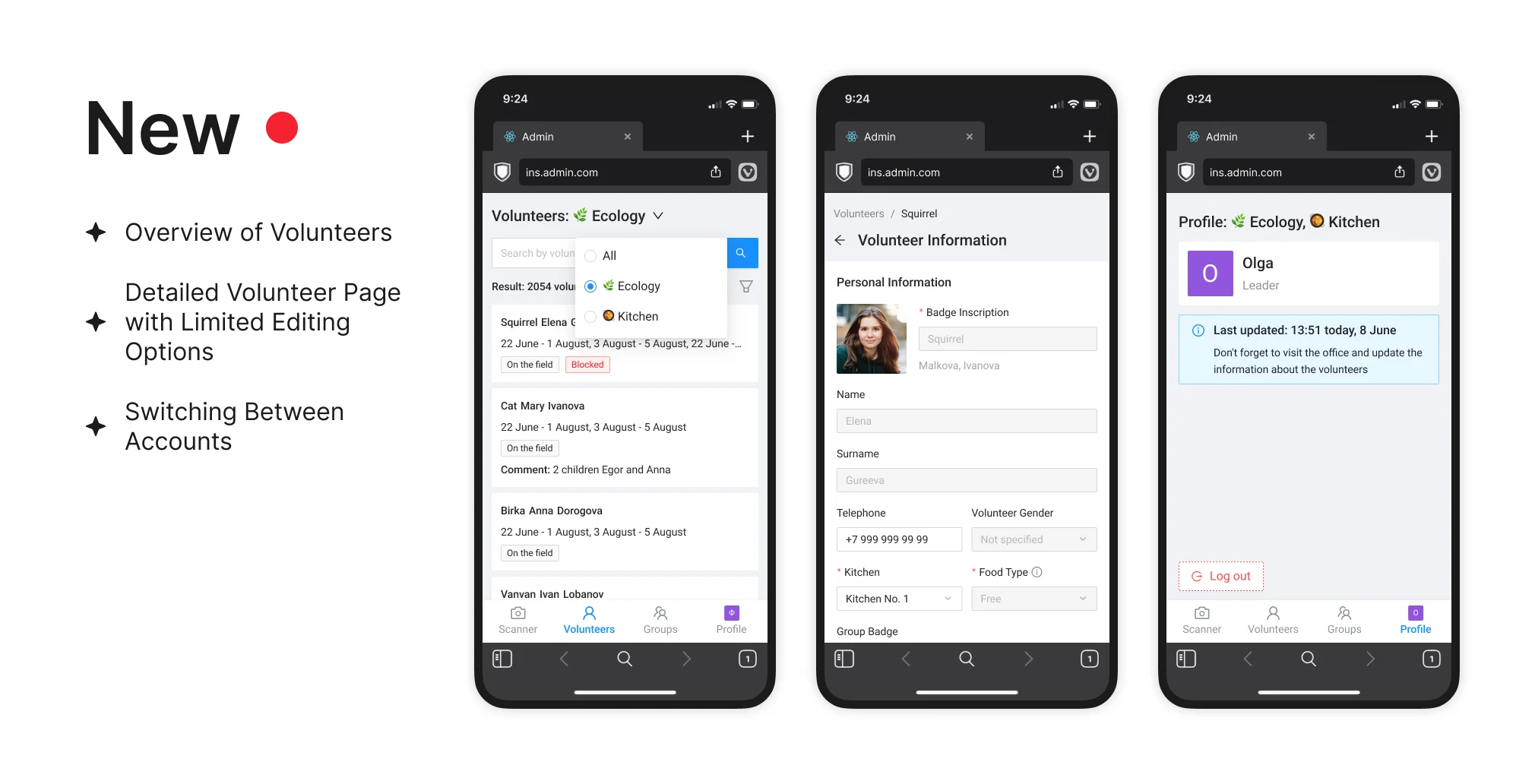
Checking in a volunteer meant navigating to a detail page, finding the right fields, editing, saving. Multiply that by a group arriving at once.
Added a volunteer preview with only the important fields visible up front. Added multi-selection — filter volunteers, select all with one click, verify the list, issue badges. Group check-in went from painful to fast.
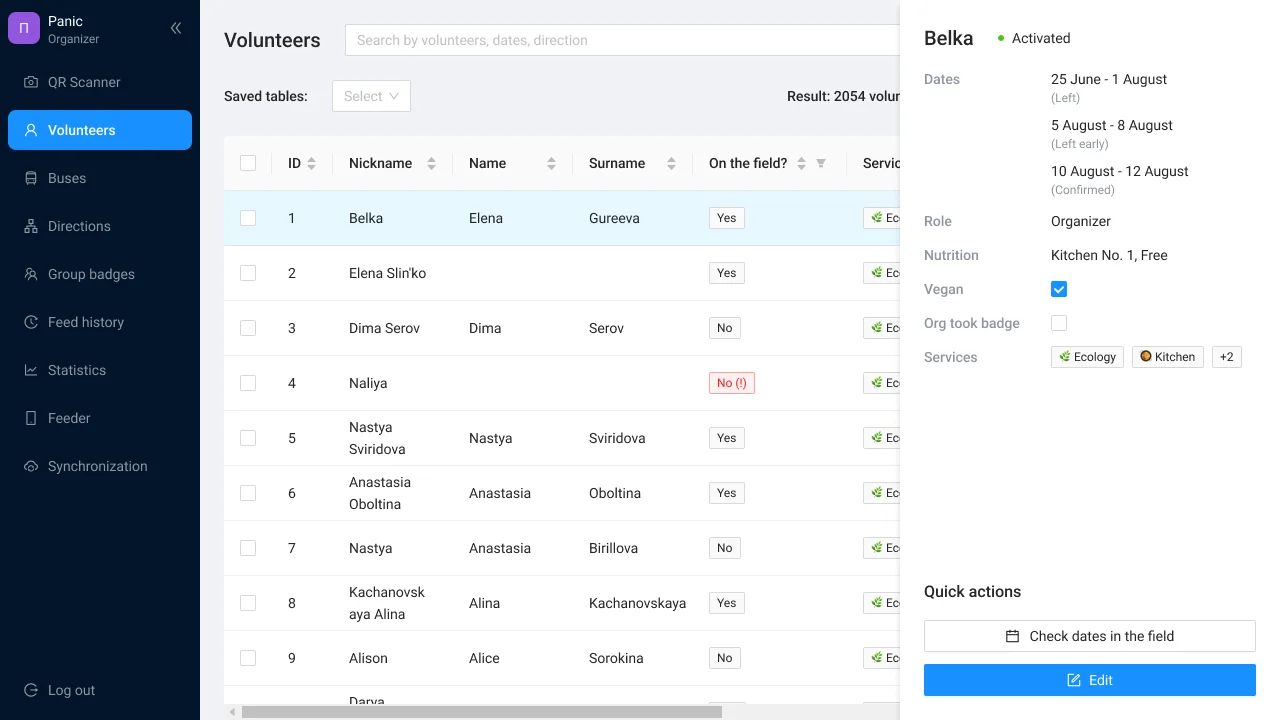
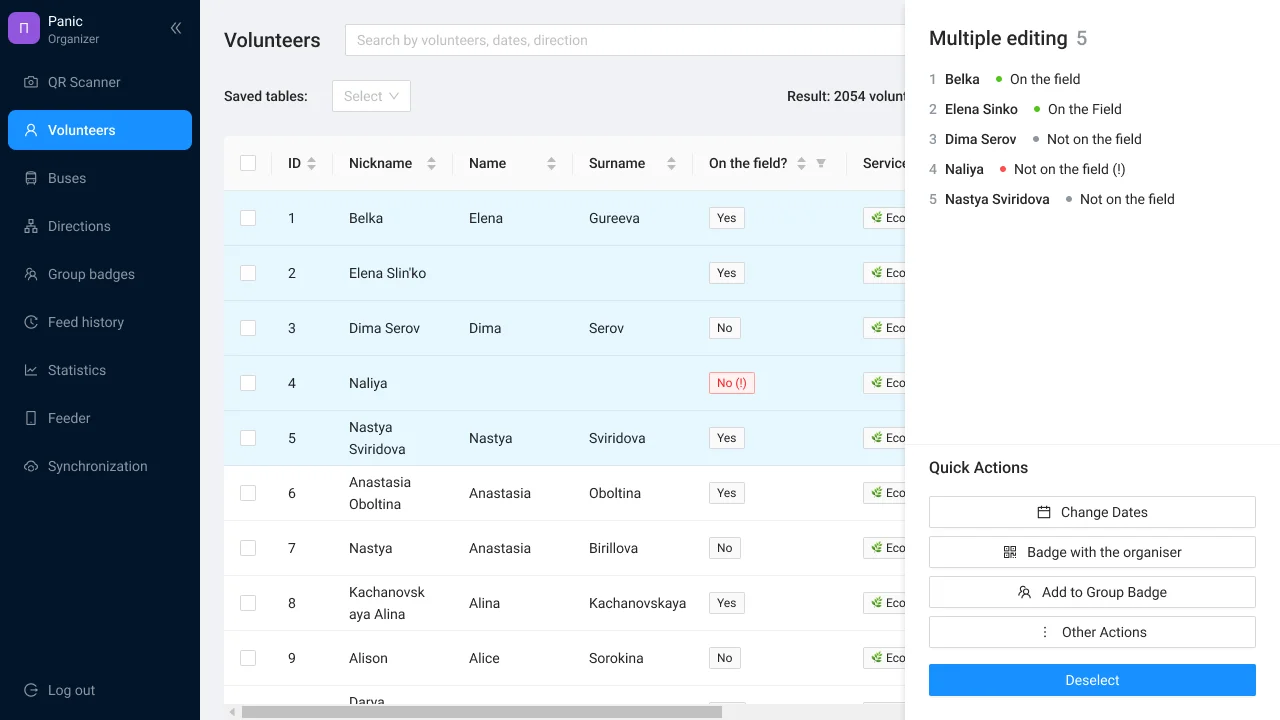
Names and nicknames repeat. Searching each volunteer manually burned time.
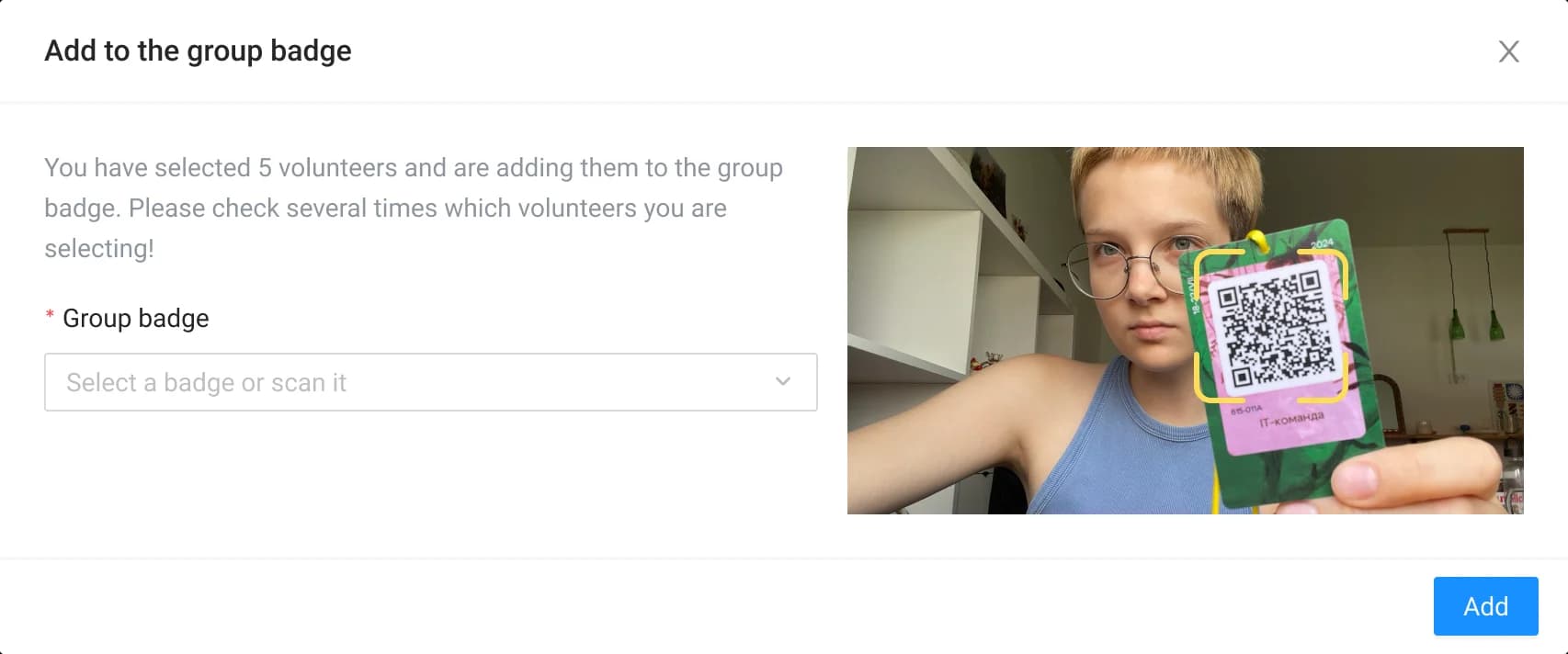
Badge scanner that jumps straight to a volunteer's profile. Added group badge scanning too — no more hunting through lists.
Thanks for looking at my case study!
I have plenty more details and insights to share. Let's hop on a call to discuss it further. You can also learn more about my experience or check out my other work.
Back
 All cases
Next case
3rd Place · Telegram Contest